腾讯云服务器OpenCloudOS 9服务安装php和nginx
腾讯云服务器OpenCloudOS 9服务安装php和nginx
最近把服务器进行了切换,换到了一个OpenCloudOS的服务器上面,所以要重新安装不少的服务,比如nginx、php、docker、mysql等,这个服务器上有宝塔,之前没有使用宝塔,习惯手动安装,所以二者很容易冲突,折腾了半天,特记录下最终的结果。
目前安装在宿主机上的服务,可以在“软件商店”查看
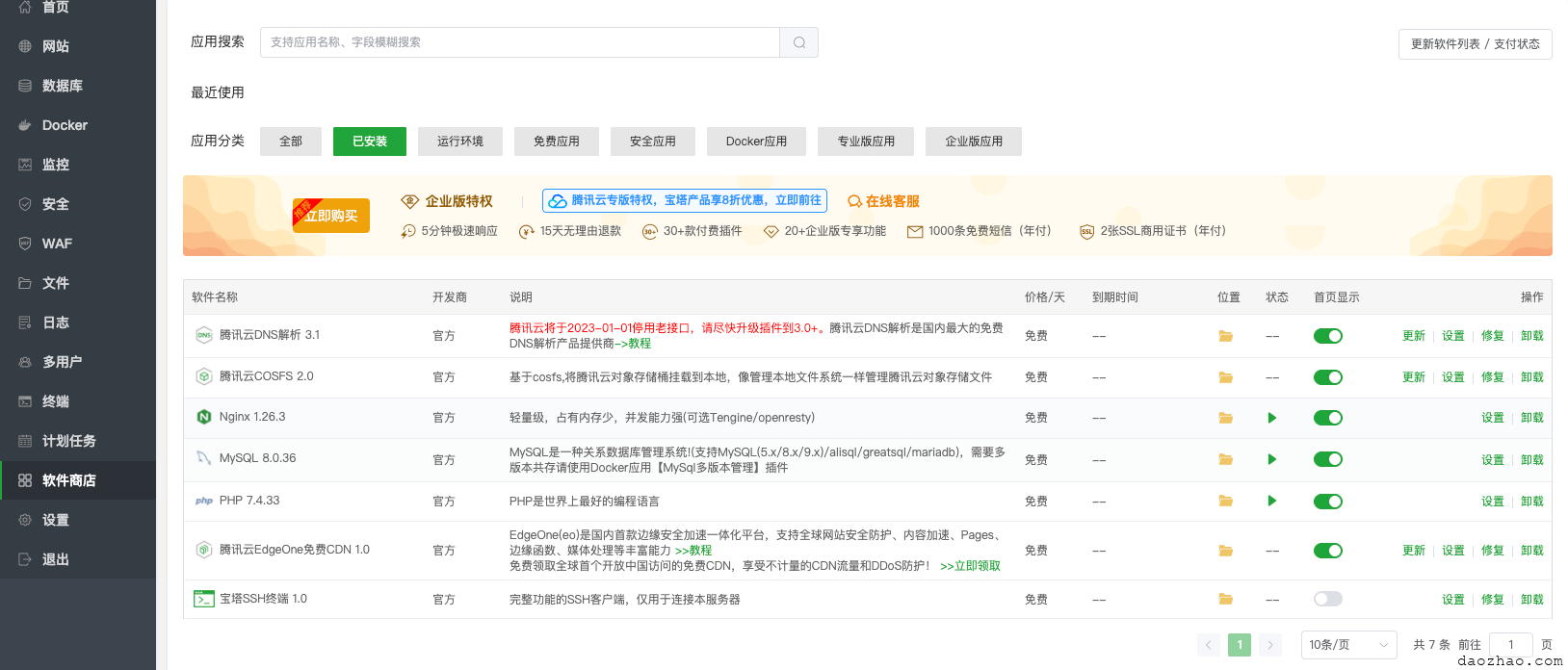
服务的安装目录一般俗称/www/server/开头
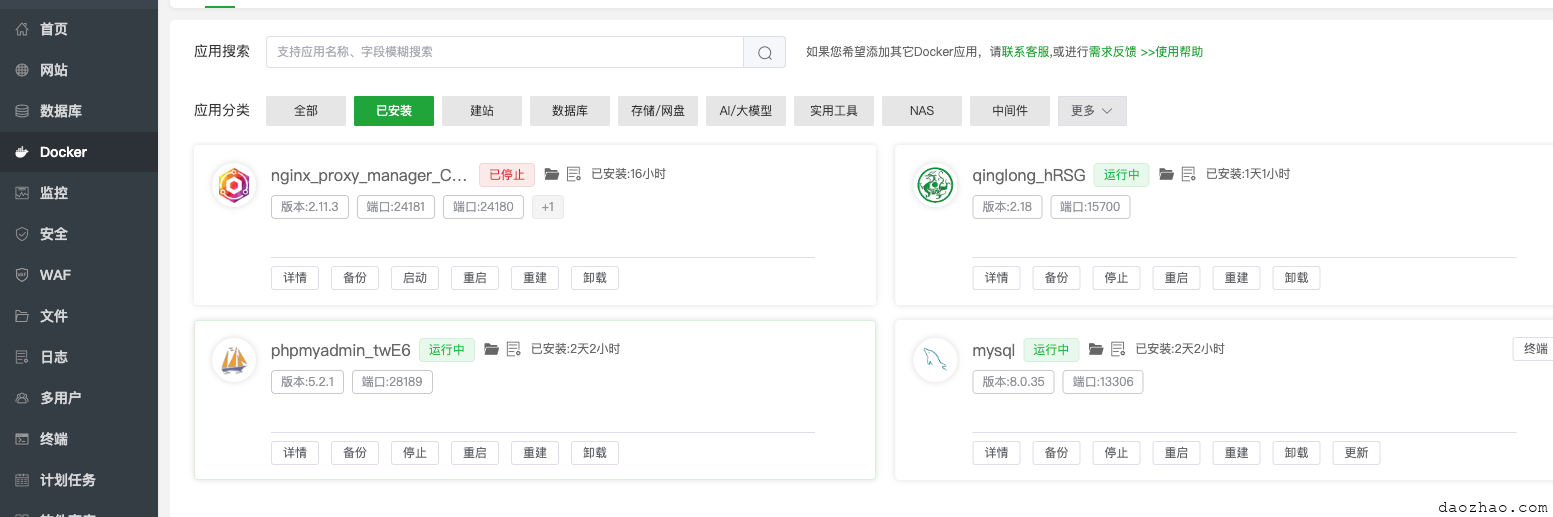
而通过docker安装的可以在docker里面查看
php-fpm
了解安装配置信息可以首先在 /etc/systemd/system/php-fpm.service里面查看启动的php-fpm
[Unit]
Description=The PHP 7.4.33 FastCGI Process Manager
After=network.target

[Service]
Type=forking
ExecStart=/www/server/php/74/sbin/php-fpm --daemonize
# 将下面这行修改为你的主配置文件的实际路径
PIDFile=/www/server/php/74/var/run/php-fpm.pid
Restart=on-failure

# 关键:添加下面两行,明确权限
User=root
Group=root

# 安全加固设置(可选,但推荐)
PrivateTmp=true

[Install]
WantedBy=multi-user.target
运行可以看到php-fpm的配置文件在哪? 在/www/server/php/74/etc/php-fpm.conf
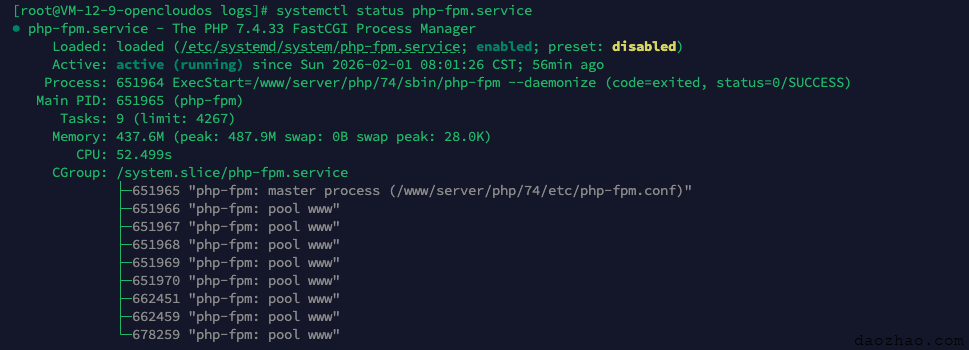
打开配置文件可以看到自己使用的是监听sock方式(/www/server/php/74/php-cgi-74.sock,nginx里面需要用的),而不是端口(比如9000)
[global]
pid = /www/server/php/74/var/run/php-fpm.pid
error_log = /www/server/php/74/var/log/php-fpm.log
log_level = notice

[www]
listen = /www/server/php/74/php-cgi-74.sock
listen.backlog = 8192
listen.allowed_clients = 127.0.0.1
listen.owner = www
listen.group = www
listen.mode = 0660
user = www
group = www
pm = dynamic
pm.status_path = /phpfpm_74_status
pm.max_children = 50
pm.start_servers = 5
pm.min_spare_servers = 5
pm.max_spare_servers = 20
request_terminate_timeout = 100
request_slowlog_timeout = 30
slowlog = var/log/slow.logphp.ini使用的是/www/server/php/74/etc/php.ini
nginx
了解安装配置信息可以首先在 /usr/lib/systemd/system/nginx.service里面查看启动的nginx是哪个
[Unit]
Description=nginx service
After=network.target

[Service]
Type=forking
ExecStart=/www/server/nginx/sbin/nginx
ExecReload=/www/server/nginx/sbin/nginx -s reload
ExecStop=/www/server/nginx/sbin/nginx -s quit
PrivateTmp=true

[Install]
WantedBy=multi-user.target可以看出,用的是/www/server/nginx/sbin/nginx。
查看配置可以用/www/server/nginx/sbin/nginx -t
[root@VM-12-9-opencloudos logs]# /www/server/nginx/sbin/nginx -t
nginx: the configuration file /www/server/nginx/conf/nginx.conf syntax is ok
nginx: configuration file /www/server/nginx/conf/nginx.conf test is successful所以配置文件就是/www/server/nginx/conf/nginx.conf,为了方便起见,把各个域名的conf放在了/home/website/nginx_conf/conf.d目录下,所以里面加了如下配置
include /home/website/nginx_conf/conf.d/*.conf;在配置php站点时,就要用的上面的/www/server/php/74/php-cgi-74.sock,而不是~fastcgi_pass 127.0.0.1:9000~了
 fastcgi_pass   unix:/www/server/php/74/php-cgi-74.sock;
fastcgi_index  index.php;
fastcgi_param  SCRIPT_FILENAME  $document_root$fastcgi_script_name;
include fastcgi_params;- 分类:
- Devops
相关文章
centos8以源码方式安装php7.4
学习学习源码安装挺好的。 本文主要参考、学习自 https://www.cnblogs.com/alliancehacker/p/12255445.html 感谢原作者 下载源码 地址 阅读更多…
nginx开启https parameter requires ngx_http_ssl_module in /usr/local/nginx/conf/nginx.conf
安装nginx,一般是安装在/usr/local/nginx nginx基本操作 cd /usr/local/nginx/sbin 启动 ./nginx 关闭 ./ngin 阅读更多…
用nginx架设wordpress提示上传文件失败,无权限
网上一般解决方案都只是简单说文件没有执行权限,需要设置为755权限。实际上在使用nginx来作为服务器来使用wordpress的时候,需要用到php-fpm来解析php,默认用户是apache,而我 阅读更多…
docker安装php nginx mysql容器化记录
建议第一步应该先安装mysql,因为后面的php很可能是需要连接mysql的,然后nginx是需要转发.php文件给php-fpm的 新建nginx的配置文件 /root/website/ngi 阅读更多…
spa前端 + wordpress后台项目配置nginx实战和静态资源配置难点
现在将wordpress作为后台项目,自己用vue或者react做自己的前端的项目越来越多,虽然作为同一个对外的项目,实际上是有两个项目组成,那怎么去分配这两个项目的路由呢?哪部分走spa,哪部分走 阅读更多…
用nginx架设wordpress提示上传文件失败,无权限
网上一般解决方案都只是简单说文件没有执行权限,需要设置为755权限。实际上在使用nginx来作为服务器来使用wordpress的时候,需要用到php-fpm来解析php,默认用户是apache,而我 阅读更多…